


Online Games to Play When Bored: 7 Easy Picks

A free afternoon can make every familiar tab feel dull. Instead of scrolling through the same sites, pick a browser game by the kind of break you want: quick solo distraction, a thinking challenge, a shared round, or a calm decorating session.
The seven picks below are grouped by mood, not genre. Choose a portal for quick variety, a puzzle site for a focused brain break, or an indie game hub when the usual options feel stale. Each entry says what you can play instantly, so these online games to play when bored match your mood in seconds instead of asking you to read a pitch. Find your kind of break and start playing.
Table of Contents
- 1. Cozy Cube for a Calm Decorating Session
- 2. Poki for the Anything-Goes Five Minutes
- 3. CrazyGames for a Quick Round or a Shared Screen
- 4. Coolmath Games for a Thinking Break
- 5. Armor Games for a Longer, Progress-Filled Session
- 6. itch.io for an Indie Discovery
- 7. Newgrounds for Something Offbeat
- Comparing the Best Online Games and Portals to Play When Bored
- Pick Your Mood and Start Playing
1. Cozy Cube for a Calm Decorating Session
A slow evening wants one small room you can keep adjusting until it looks right. Cozy Cube, a free pixel-art decorating game from J&C Studio, opens into a single room in your browser. No account, no install. You can be moving furniture within seconds.
What the free room gives you
The Free Edition gives you that one room plus a selection of furniture and customization options. Drag pieces into place, rotate them, and switch floor and wall styles in the room preview. Then add plants, small decorations, and a cat.
The pace stays with the room. Shift a chair, try another wall, and stop when the layout feels settled.
That fits how people use browser games. In a survey of 2,000 consumers, 56% said they pick browser games because they're easy to access, 52% because they're quick to play, and 34% because they need no download, while 37% play web games several times a day, often on breaks and commutes, according to The Drum's browser-game survey coverage. A decorating session fits that rhythm: fix one corner, close the tab, and come back tonight.
Sharing, saving, and what's coming
Send a finished room to a friend with the sharing feature so they can see the layout. Rooms save on the device you're playing on, not in an online account, so keep a backup if you might switch machines or recover an old save.
A Full Game is in development as a one-time purchase. It is planned to add connected rooms, more furniture collections, broader customization, and more pets, including cats, dogs, birds, and fish. Preview material shows spaces such as a quiet greenhouse, plus cabins, bathrooms, and offices. Price, release date, and final contents have not been announced. The Full Game is also set to get more new content and features than the Free Edition.
- Cost of entry: none. The Free Edition plays in a browser with no signup.
- Layout control: rotation, floor and wall choices, and viewing angles let you test a room properly.
- Limits to know: one room, a limited furniture set, and saves that stay on your device.
2. Poki for the Anything-Goes Five Minutes
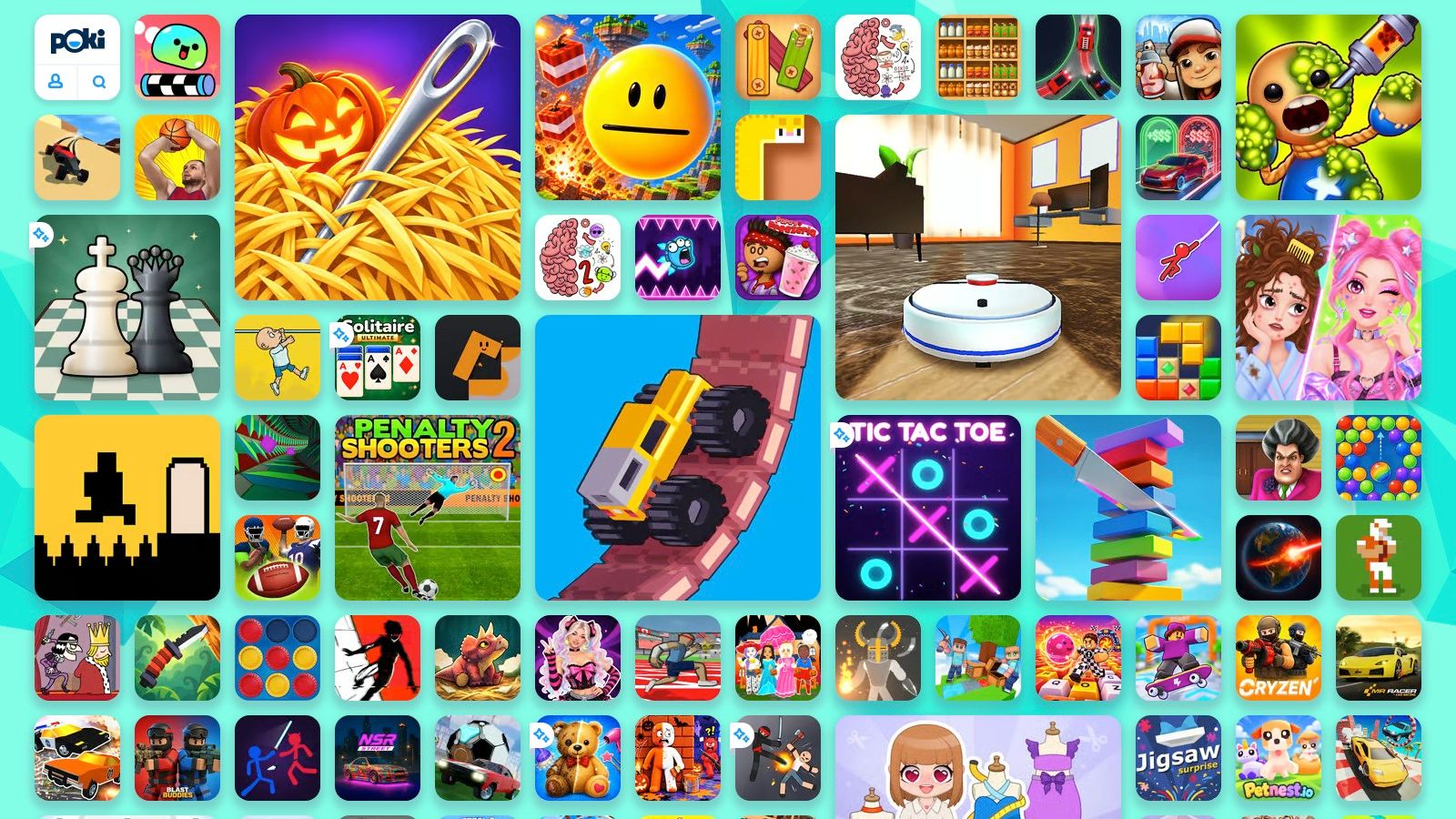
Poki is the widest front door here: a browser portal with arcade, puzzle, driving, sports, creative, cooking, and dress-up games, plus multiplayer options, all playable without installing anything or creating an account. When the boredom is vague and you don't care what you play, a big portal beats a curated list.
The audience for this isn't small. Newzoo's 2024 global games market report estimated 3.42 billion players worldwide in 2024, a 4.5% increase on the previous year, spread across 2.848 billion mobile, 908 million PC, and 630 million console players, overlapping groups because plenty of people play on more than one device. Mobile and PC access together is exactly the audience a browser portal serves: someone with a phone or a laptop and five spare minutes.
- Browse by category, not by name. Pick puzzle or cooking and play the first tile that looks decent.
- Local two-player games are useful when someone else is in the room and one laptop is open.
- Expect ads. Free access doesn't mean ad-free, and quality varies between titles and devices.
Practical rule: give any portal ninety seconds. If nothing on the first screen pulls you in, close the tab and try a different site instead of scrolling a catalog for ten minutes.
3. CrazyGames for a Quick Round or a Shared Screen
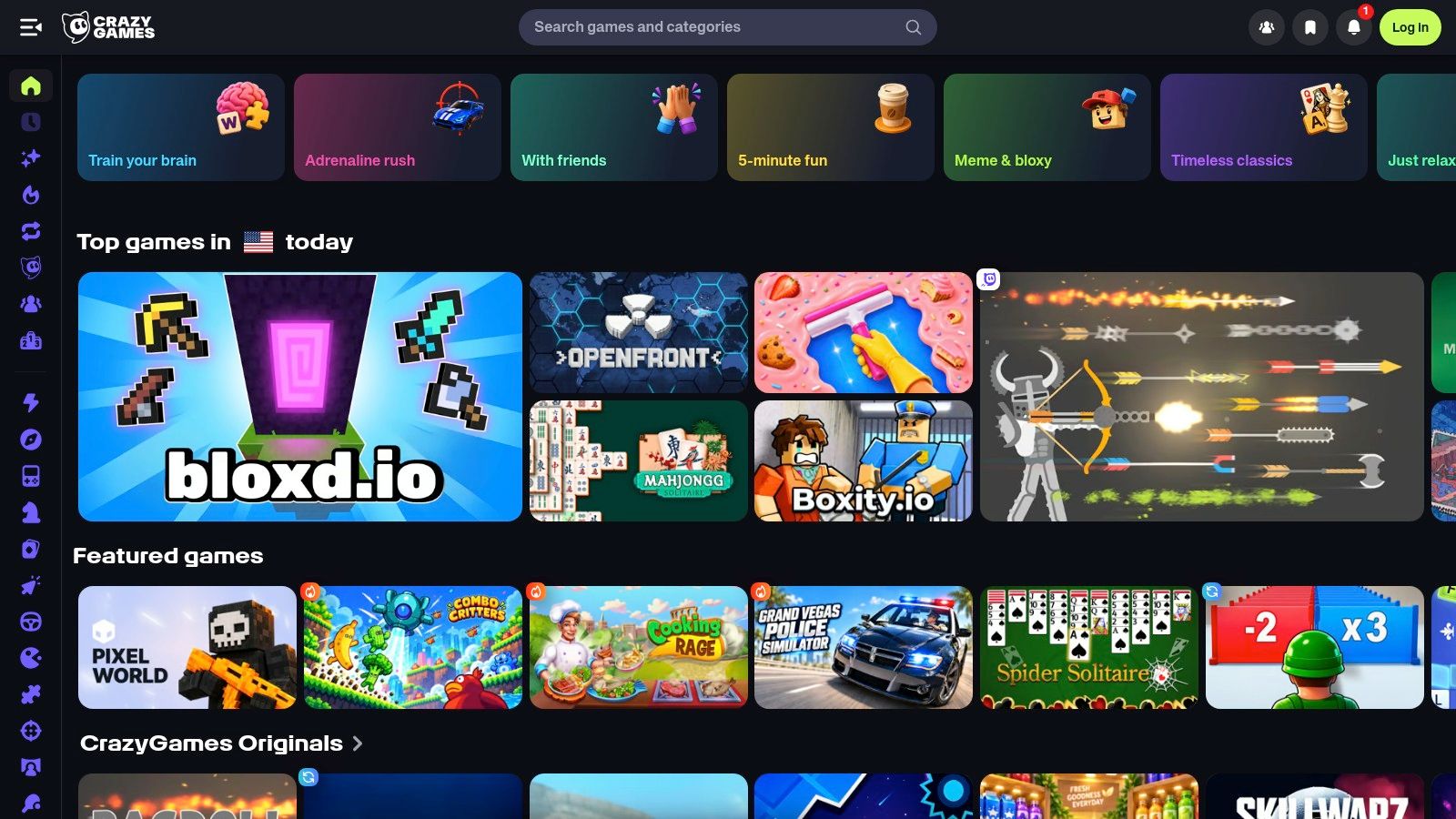
CrazyGames covers puzzles, clickers, driving, action, and multiplayer games in one catalog, with dedicated sections for .io titles that make it simple to find something two people can play on one machine. Many games run on desktop and mobile without a separate client, and the selection is updated regularly.
Browser play stopped being the compromise years ago. The Entertainment Software Association's 2024 survey reported that 90% of U.S. players played online in 2024, up from 18% in 2012, while the share using mobile devices climbed from 33% to 78%. The same survey found 61% of Americans ages 5 through 90, roughly 190.6 million people, played video games for at least an hour a week.
How to use it without losing twenty minutes
Treat the homepage as a menu and commit fast. The .io and multiplayer categories are the quickest route to a game another person can join, and the rotating front page usually puts something unfamiliar near the top.
- Start with a category, not the search box, when you can't name a single title.
- Check what device a game was built for. Some assume a keyboard and feel clumsy on a phone.
- Bounce early if a game feels flat. The catalog is large enough that a bad first pick costs you nothing.
4. Coolmath Games for a Thinking Break
When your boredom calls for a small puzzle rather than a fast round, Coolmath Games is a good fit. Its large selection of puzzle, strategy, and logic games can be played without an account. The site is ad-supported, so banners share the page with the games.
A puzzle you can pause mid-solve often suits a low-pressure break better than a ranked match. A 2025 study of 581 players found that 74% would switch from a boring activity to a digital game. Players across boredom profiles favored fun, psychological detachment, and relaxation over mastery and achievement, according to the Frontiers in Communication study.
Relaxing and feeling productive are different requests. Coolmath suits a break when you want to exercise your brain without adding pressure.
- Choose logic or spatial puzzles for a focused challenge that doesn't demand a long session.
- Expect banners. Ads share the page with the free games.
- Try a couple of rounds before moving on. Controls and difficulty vary by title, so one slow start may not tell you whether the game is a good fit.
5. Armor Games for a Longer, Progress-Filled Session
Armor Games suits the boredom that shows up with a free hour attached. Categories cover puzzle, strategy, adventure, arcade, idle, and multiplayer games, many listings show community ratings and play counts, and a game-of-the-day slot rotates something new to the front. It's the pick when you want to sink in rather than skim.
Progression is the draw. Idle and upgrade-based titles give you a reason to return tomorrow, which is the same instinct driving live content across the casual market. A 2025 AppMagic casual games LiveOps report recorded 6% global download growth and 3.6% revenue growth for casual titles over the measured period, and found 82% of analyzed games ran at least one event, with an average of 97 events delivered in May alone.
Sort by rating before you sort by genre. A well-rated strategy game beats a pretty thumbnail every time.
- Ratings and play counts narrow a big category faster than reading descriptions.
- An account can be worth it for saving progress or using community features, though it's often optional.
- Check each listing for monetization. Free-to-play covers a wide range of what a game may ask of you.
6. itch.io for an Indie Discovery
itch.io is where boredom turns into curiosity. The platform hosts independent games across puzzles, platformers, simulations, experimental projects, and short narrative pieces, and its free HTML5 section lists titles that run in a browser with nothing to install. Tag-based browsing does the work: pick a tag, skim the thumbnails, open one.
This is the stop for the mood that says everything on the big portals looks the same. Most listings are published by individual creators, often one person working alone, so a twenty-minute browser game can carry more personality than a polished arcade clone. The trade-off is consistency. Some of it is lovely, some of it is broken, and the listing rarely tells you which until you click.
Browse like a scout, not a shopper
- Filter to free and HTML5 first, then narrow by tag, theme, or input type.
- Read the listing before playing. Not every game on the platform is free, and not every one runs in a browser.
- Forgive rough edges. Polish, accessibility, and save systems vary widely from creator to creator.
7. Newgrounds for Something Offbeat
The big portals all start to look the same, and you still want something to click. Newgrounds is the pick for that mood: handmade, offbeat, occasionally strange games, not a tidy catalog.
It has run as a creator community since long before most of its visitors were online. Games sit alongside animation, art, and audio. The games section carries browser-playable projects from independent creators, and new submissions plus community activity stay visible as you browse. The site feels less uniform than a curated portal. That variety is why it works when you want a short, odd session rather than another polished clone.
Hours are the wrong scoreboard here. Research from the Oxford Internet Institute found that the number of hours adults spent playing did not significantly predict mental well-being, life satisfaction, emotional state, or depressive symptoms, and pointed instead to why people play and the context around it. Open one strange game because you want something unfamiliar, then leave when the curiosity runs out.
- Check ratings and content tags before opening something unfamiliar, since some submissions are niche or mature.
- Try the newest submissions when you want something no list has recommended to you yet.
- Test browser compatibility. A game that stutters on one device may run cleanly on another.
Comparing the Best Online Games and Portals to Play When Bored
| Item | Type | Best For | Account Needed | Play Style |
|---|---|---|---|---|
| Cozy Cube | Browser decorating game | Relaxed room design | No | Arrange and customize a pixel-art room |
| Poki | Browser-game portal | Browsing varied game genres | No | Solo, local two-player, or online multiplayer |
| CrazyGames | Browser-game portal | A wide range of casual and multiplayer games | Not required for browsing and playing games | Short solo or multiplayer sessions |
| Coolmath Games | Browser puzzle-game portal | Puzzles, strategy, and logic challenges | No | Thoughtful, lower-pressure casual play |
| Armor Games | Browser-game portal | Strategy, adventure, and progression games | Optional for saving progress or community features | Quick-play or progression-focused |
| itch.io | Indie-game platform | Creative and niche browser games | Not required to browse; some games may require an account | Varied, creator-made experiences |
| Newgrounds | Creator community and game portal | Offbeat, independent games | Not required to browse and play games | Varied browser games and community browsing |
Pick Your Mood and Start Playing
The match is simple once you name the feeling. A slow evening with a warm drink calls for Cozy Cube, where decorating a single room costs nothing and starts instantly. A vague, novelty-seeking itch calls for a Poki or CrazyGames browse, where the category tiles do the choosing for you. A restless brain wants Coolmath Games or an Armor Games strategy title. A curious mood wants itch.io and Newgrounds, where the odds of finding something you've never seen are highest.
That's the whole trick with online games to play when bored: match the game to the mood instead of the genre, and stop browsing the moment something looks playable.
Then do the boring part, which takes ninety seconds and saves you every future scroll. Bookmark two or three of these sites in a folder you'll see. Next time the afternoon opens up and the tab bar is empty, the answer is one click away instead of a search.
Cozy Cube's Free Edition is the low-effort default: it plays in a browser, needs no account, and skips the download entirely. A paid Full Game is in development as a one-time purchase, planned with more rooms, furniture, pets, and customization than the free version. If you want to know when it arrives, you can sign up on the Cozy Cube site for Full Game launch news and get the announcement by email.
Cozy Cube is the pick for the mood that wants something calm and creative rather than loud. The Free Edition runs in your browser with no account and no download, so you can arrange furniture, choose a wall style, add a cat, and share the room with a friend in less time than a download would take. Start a room at Cozy Cube and see what you build on a bored afternoon.
Built with the Outrank tool
A little room. All your own.
Build, decorate, and share your pixel home. Free in your browser. No account needed.
PLAY FREE